Inspect the Current Device Session
Overview
Inspect the current device session from the IPython client, so you can see which devices are active right now.
Prerequisites
- You have a running BEC IPython client session.
- A device session is already loaded into BEC.
1. Show all devices in the current session
To display the current session from the client, run:
dev.show_all()
The dev object is the device container exposed by the client, and show_all() prints a table of the devices currently known in the session.
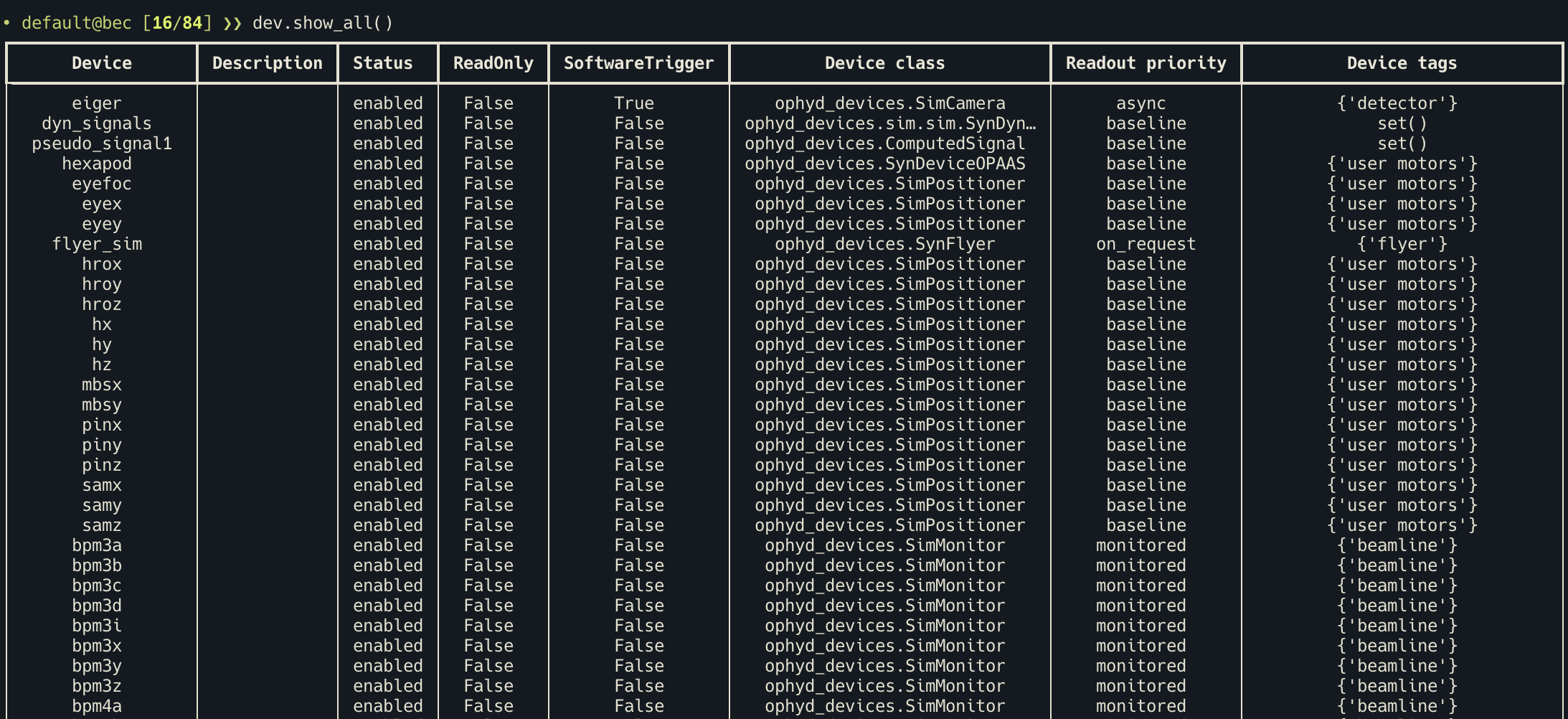
The table includes fields about the device configuration as currently active in the session. An important subset of these fields are:
Status: whether the device is currently enabled in the active sessionDevice class: the ophyd class BEC uses to construct the deviceReadout priority: how BEC treats the device during scans
2. Use the output to confirm the active session
Use dev.show_all() when you want to check:
- whether a newly loaded configuration is active
- whether a device is enabled or disabled in the current session
- which device class or readout priority a device currently has
- which device names are available from the client
3. Runtime changes to the session
Some session values can be changed at runtime from the client.
For example, you can disable the motor samx in this session:
dev.samx.enabled = False
If you run dev.show_all() again afterwards, samx will appear as disabled.
Please use this carefully
Changing device settings in runtime is not only a display change. Fields such as enabled and readoutPriority affect how BEC handles the device and its readings in the current session. These changes do not automatically update the YAML file on disk, but they do affect how BEC handles the device in the current session.
Before changing the config in runtime
- Read Device Sessions in BEC to understand the difference between config files and the live session.
- Read Device Configuration in BEC to understand what these fields mean.
- Read Select a Readout Priority to understand the impact of readout priority.
4. Continue to a device-level inspection when needed
You may also inspect a specific device in more detail from the client.
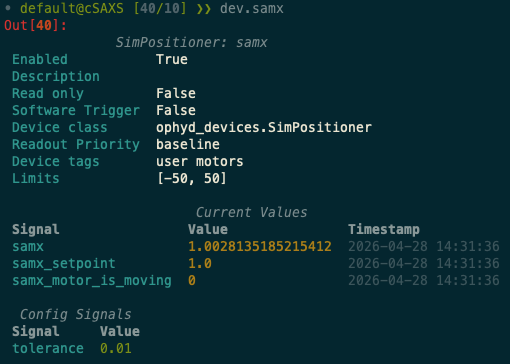
dev.samx
This will show you the current runtime configuration of the samx device, including the latest values for signals from read and read_configuration.
Congratulations!
You have successfully inspected the current device session.
Common Pitfalls
dev.show_all()shows the current session state exposed to the client. It is not a direct view of the original YAML file on disk.- Changing values such as
enabledorreadoutPriorityin runtime affects current BEC behavior. These changes do not automatically update the YAML file on disk, but they do affect how BEC handles the device in the current session.
Next Steps
- Use Inspect a Device from the BEC IPython Client for a deeper look at one device.
- Use Load and Save a Device Session if you need to change which configuration is active.