Dock Area Profiles
Goal
In this tutorial you will save two Dock Area reusable configurations as Dock Area profiles and switch between them.
What is a Dock Area profile?
A Dock Area profile is a saved configuration of the Dock Area, including the widgets it contains and their configuration. Profiles allow you to quickly switch between different GUI setups for different tasks. Learn more about how profiles work in Dock Area Profiles.
This tutorial continues from 06 Create Your First GUI.
Start with BEC open in the Terminal + Dock interface and a Dock Area containing a ScanControl and a Waveform
widgets.
1. Save the current layout
In the Dock Area toolbar, click the save button .
Enter the profile name:
alignment_scan
Keep Include in quick selection enabled, then click Save.
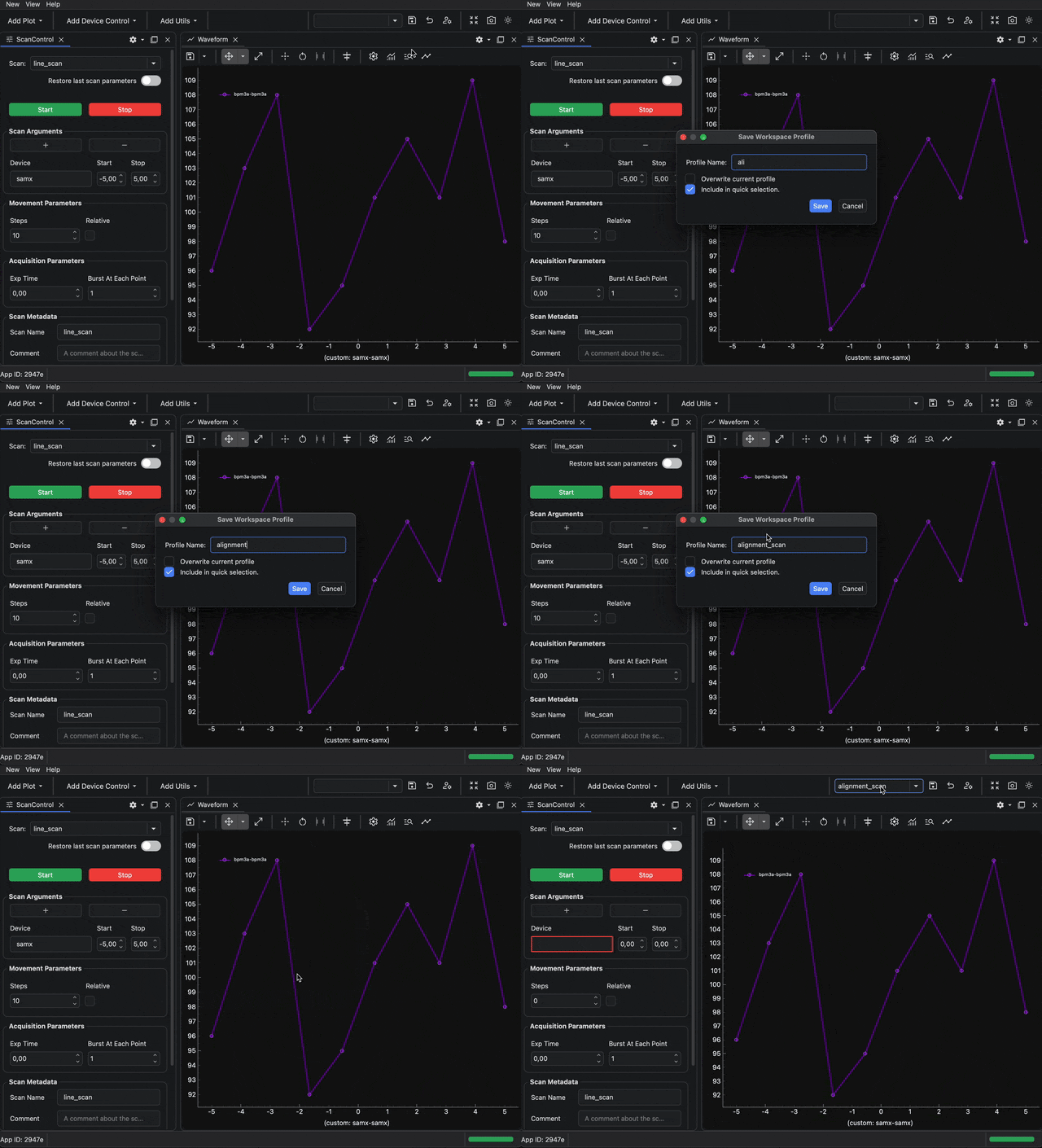
The profile name appears in the profile selector in the Dock Area toolbar.
2. Change the layout and add more widgets
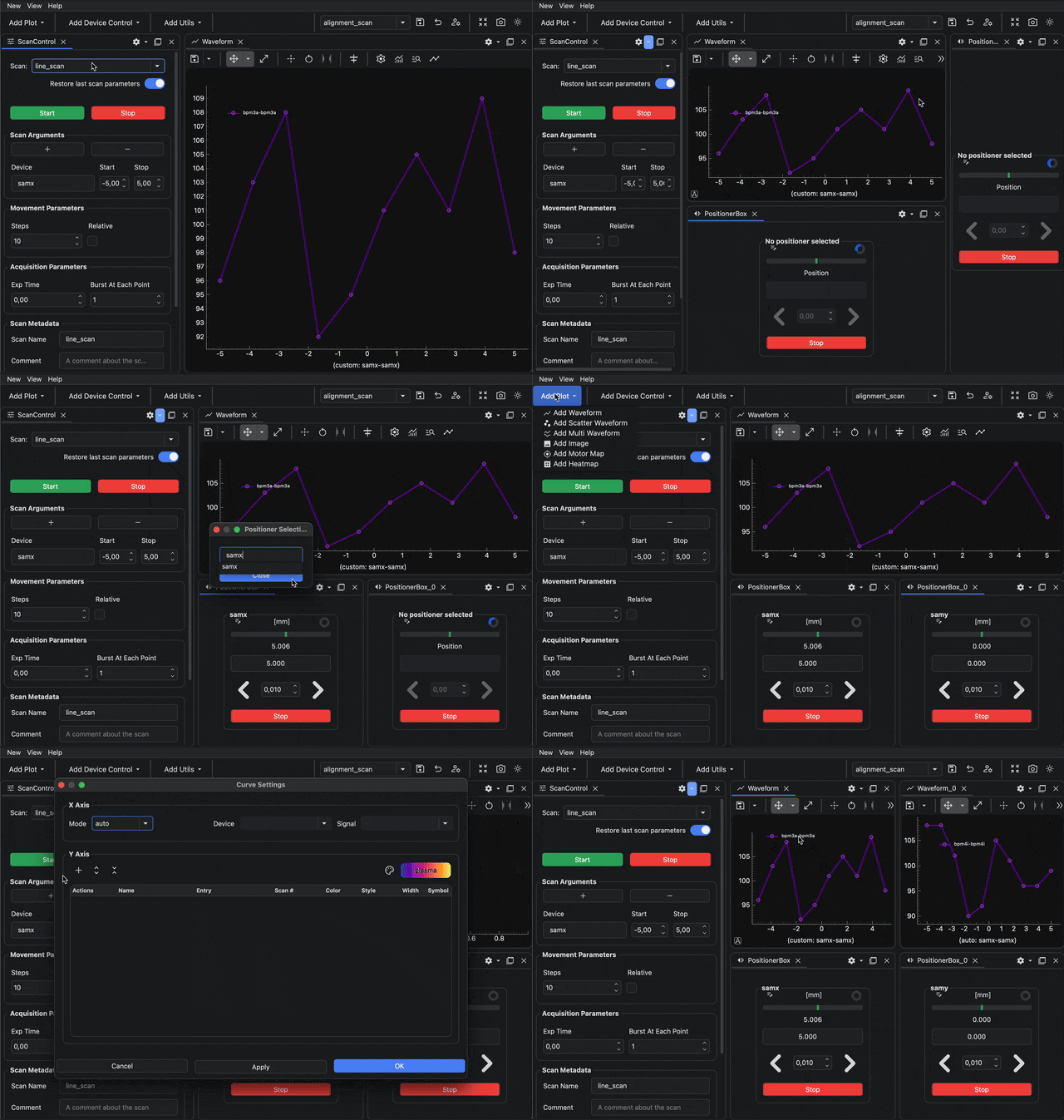
Create a second layout that is easy to recognize when you switch profiles:
- Open
Add Device Controland add twicePositionerBox. - Open
Add Plotand add anotherWaveform. - Move the new widgets to the right side of the Dock Area.
You should now have the original scan control and waveform plot, plus two positioner boxes and a second waveform plot.
3. Save a second profile
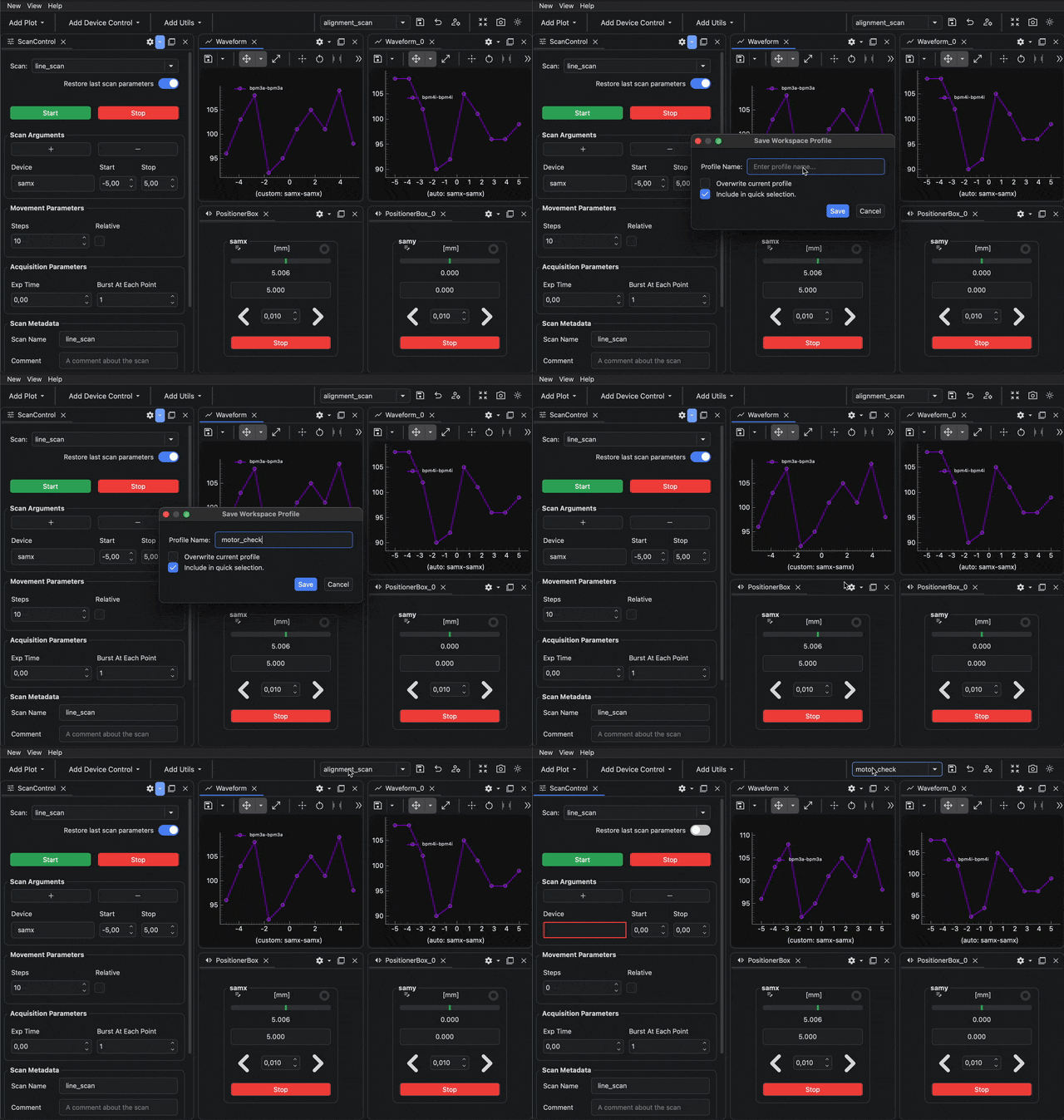
Click the save button again .
Enter the profile name:
motor_check
Keep Include in quick selection enabled, then click Save.
4. Switch between profiles
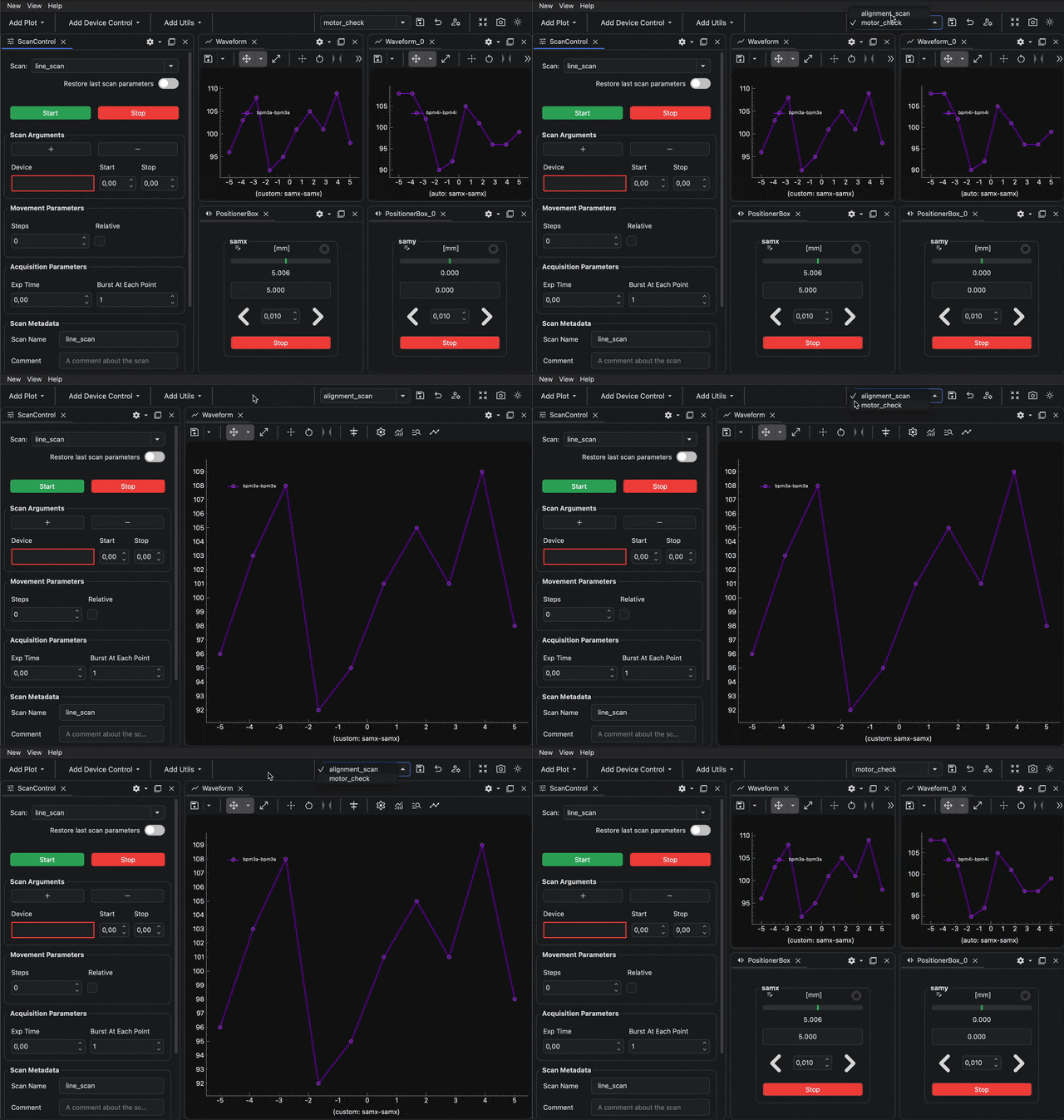
Use the profile selector in the Dock Area toolbar to switch back to alignment_scan.
The Dock Area reloads the layout saved in the first profile. Use the selector again to switch to motor_check.
What you have learned
You have saved two Dock Area profiles and used the Dock Area toolbar to switch between different layouts.
Next step
To create the same profiles from commands, use Create Dock Area Profiles from the BEC IPython Client.
For comprehensive instructions on how to manage profiles, including sharing, switching, deleting and restoring them, see the Dock Area Profiles how-to guides. The more in-depth explanation can be found in Dock Area Profiles.