Switch Dock Area Profiles
Goal
Load a saved Dock Area profile into the Dock Area.
Prerequisites
- You have BEC open with a Dock Area.
- The profile you want to load is already available.
If you do not have profiles yet, first create one with Save and Switch Dock Area Profiles.
Option 1: Switch from the quick selector
Use the quick selector when the profile is listed in the Dock Area toolbar. This is the shortest way to switch profiles.
Open the profile selector in the Dock Area toolbar and select the profile you want to load.
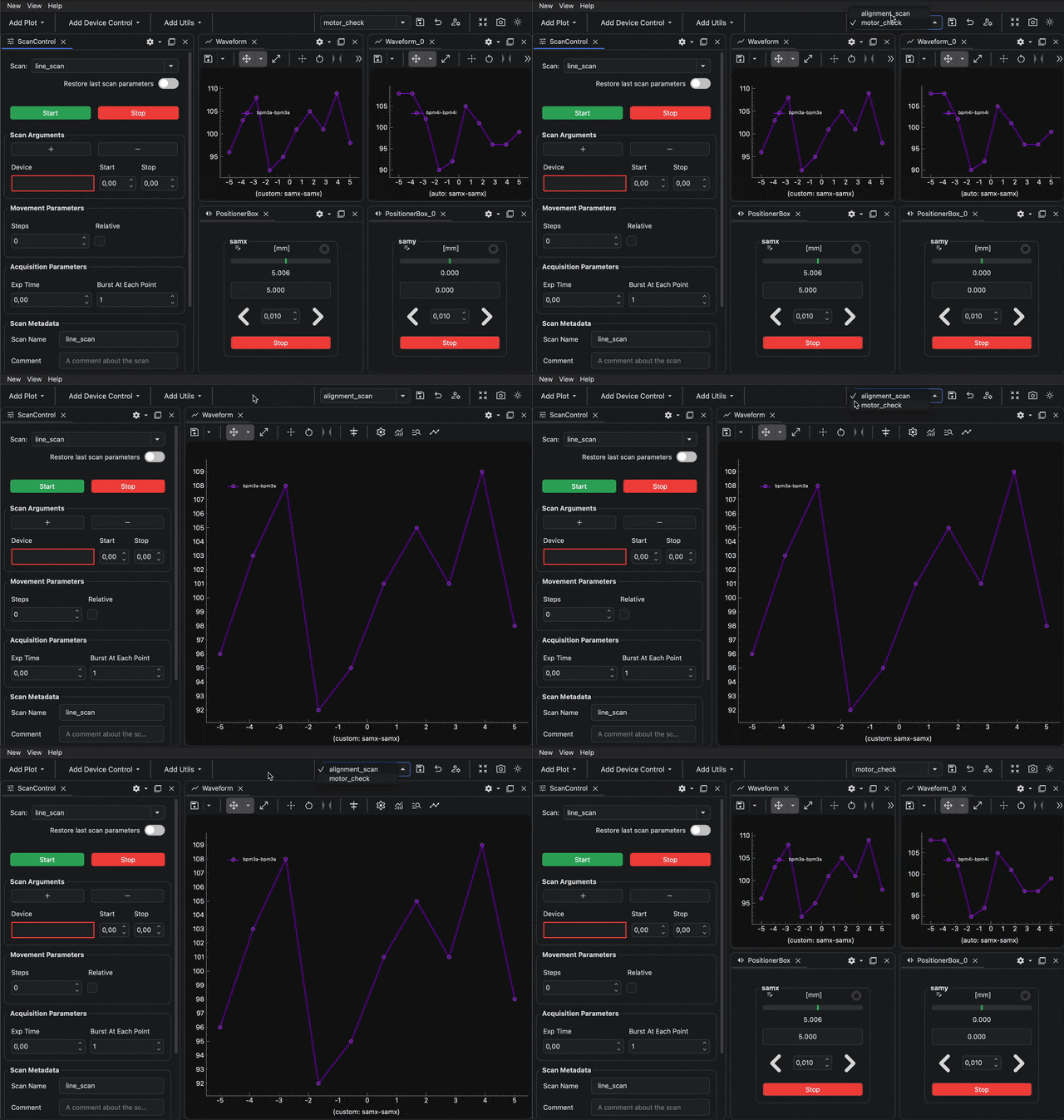
The Dock Area loads the selected profile and replaces the current layout.
Quick selection
Not every profile is shown in the quick selector. A profile only appears there when quick selection is enabled for that profile. Learn how to control this with Toggle Dock Area Profile Quick Selection.
Option 2: Switch from the profile manager
Use the profile manager when the profile is not listed in the quick selector, or when you want to check the profile preview and metadata before loading it.
1. Open the profile manager
Click the manage button in the Dock Area toolbar.

2. Select the profile
Click the profile you want to load.
Use the preview and metadata panel to confirm that you selected the correct profile.
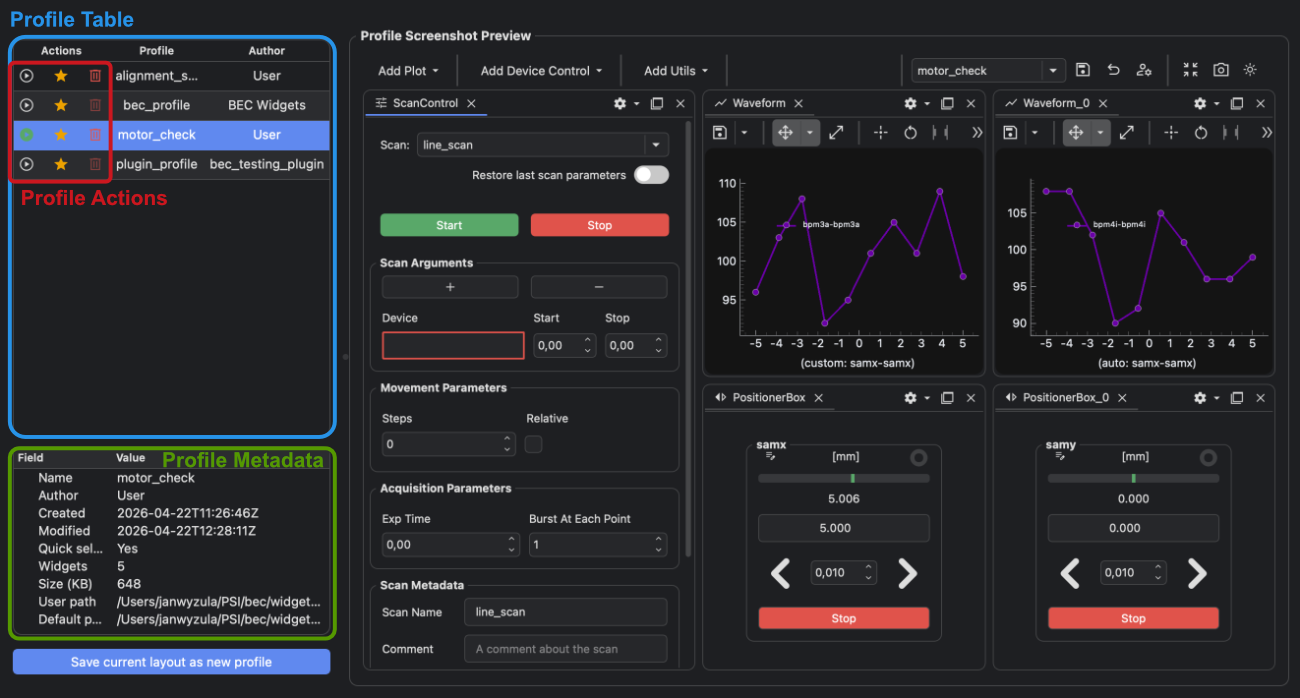
3. Switch to the profile
Click the switch profile button .
The selected profile is loaded into the Dock Area and replaces the current layout. The active profile is shown with the filled green switch profile button icon .
Option 3: Switch from the BEC IPython client
Use the BEC IPython client when you want to load a profile from a command or script.
You can load the same profile from the BECDockArea object in the BEC IPython client:
gui.bec.load_profile("profile_name")
Replace profile_name with the name shown in the profile manager.
Result
The Dock Area now uses the layout saved in the selected profile.
Common Pitfalls
- Switching profiles replaces the current Dock Area layout with the saved layout from the selected profile.
- If the profile does not appear in the quick selector, open the profile manager and switch from there.
- To make a profile appear in the quick selector, enable quick selection for that profile. Learn how to do that with Toggle Dock Area Profile Quick Selection.
Next Steps
- Use Toggle Dock Area Profile Quick Selection to control whether a profile appears in the toolbar selector.
- Use Restore a Dock Area Profile to Its Baseline when you want to discard local layout changes for the active profile.
- Use Create Dock Area Profiles from the BEC IPython Client when you want to create and load profiles from the IPython client.