Open BEC HDF5 Files with silx
Overview
Open a BEC scan file in silx, inspect its metadata and recorded signals, and locate linked detector files when present. silx is a graphical HDF5 viewer commonly available on all beamline consoles at PSI.
Prerequisites
- The file is readable from your current machine.
BEC usually writes one master file per scan, often named like S01234_master.h5. Start with that file rather than a detector file, because the master file contains the main BEC structure and can link to additional files.
1. Find the scan file
If you just ran the scan, copy the file path from the File: line in the scan report.
If you are looking up an older scan, use the scan history first:
scan = bec.history[-1]
scan
Printing the scan container shows a summary that includes the file path.
2. Open the file in silx
From a terminal on the beamline console, start silx and open the file:
silx view /path/to/S01234_master.h5
If you prefer, you can also start silx first and then open the file from the graphical interface.
3. Inspect the main BEC groups
In the left-hand tree, expand the HDF5 structure under /entry/collection.
The groups that are usually most useful are:
metadatafor scan metadata such as scan number, scan ID, and user-defined metadatareadout_groupsfor recorded scan data grouped by BEC readout prioritydevicesfor device-oriented entriesfile_referencesfor links to external files created during the scan
Select a dataset to inspect its values. For numeric datasets, silx can also display plots or tables depending on the dataset shape.
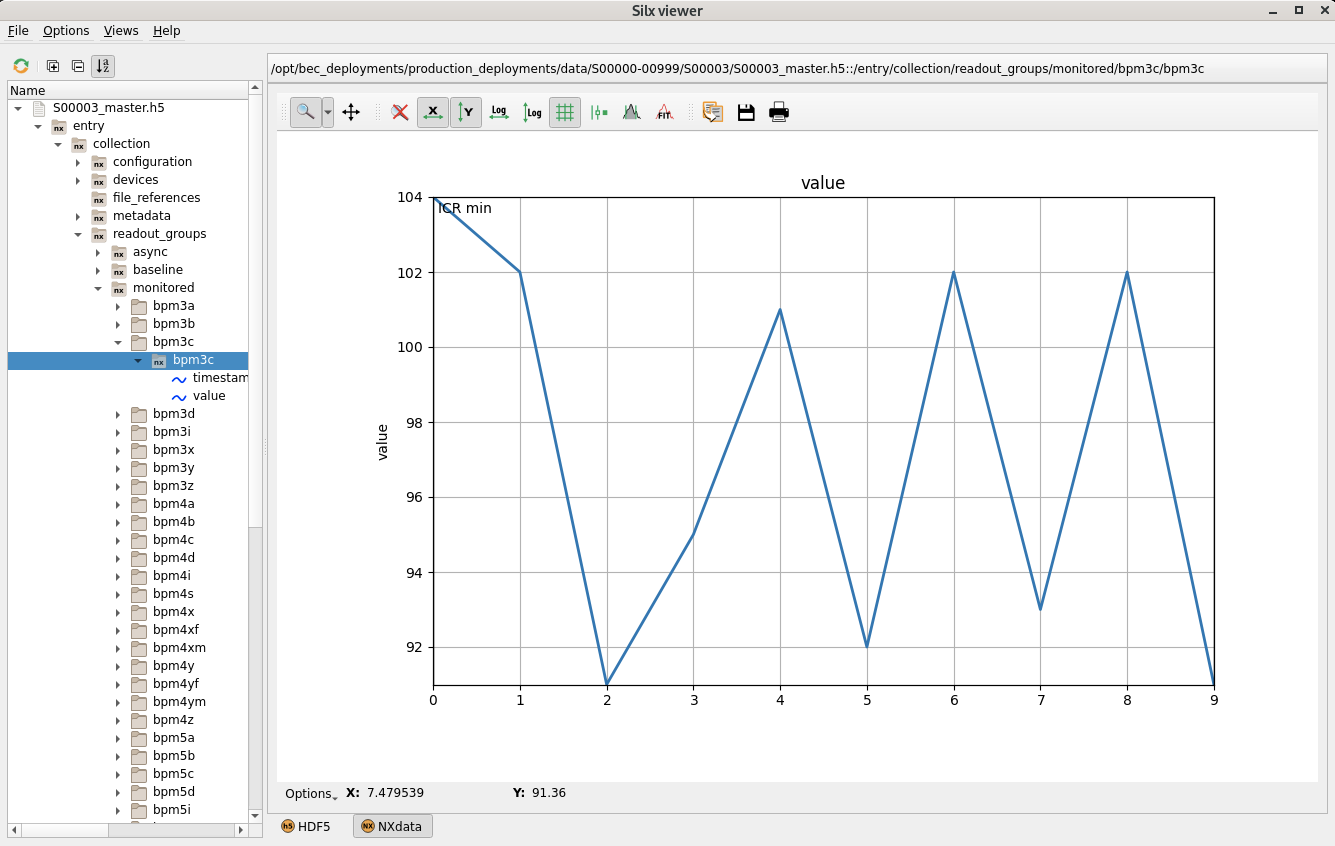
4. Check monitored and baseline data
For most scan inspection tasks, start in:
/entry/collection/readout_groups/monitored/entry/collection/readout_groups/baseline
monitored typically contains the point-by-point scan data, while baseline contains values recorded once per scan or at low frequency.
5. Follow linked detector files when needed
If the scan includes detectors that write their own files, check /entry/collection/file_references.
The master file is still the best starting point, but the detector data itself can live in separate HDF5 files. Use the file references to see which external files belong to the scan, then open those files in silx as needed.
Congratulations!
You have successfully opened a BEC scan file in silx and located the main metadata and data groups.
Common pitfalls
- Opening a detector sidecar file first and expecting the full BEC scan structure there.
- Looking only under one custom beamline NeXuS group and missing the standard BEC content under
/entry/collection. - Opening a file before writing has finished and assuming missing datasets indicate a failed scan.
- Trying to open a file from a path that is not mounted or readable on the current console.